What is waiting, by risk and by client.
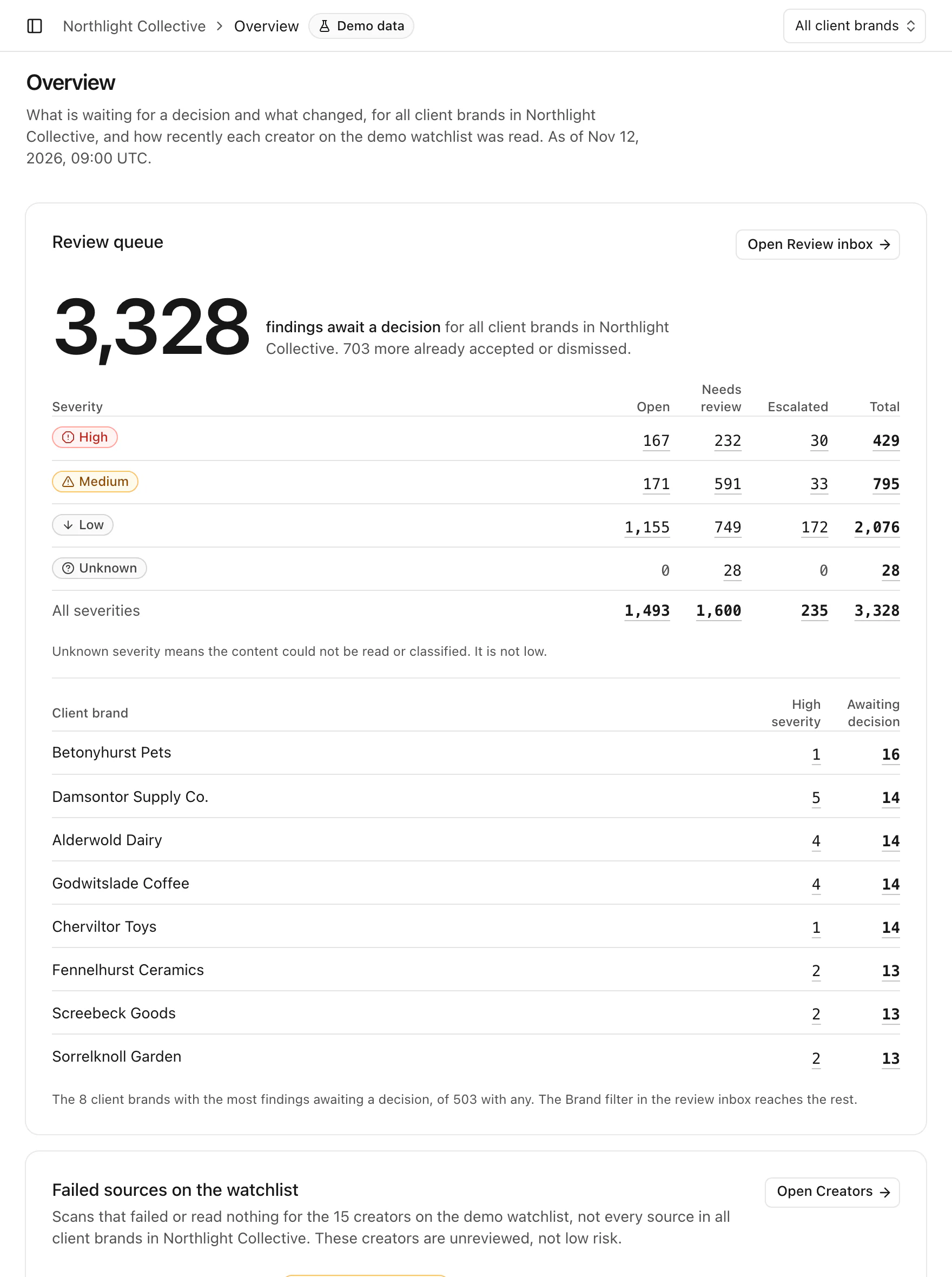
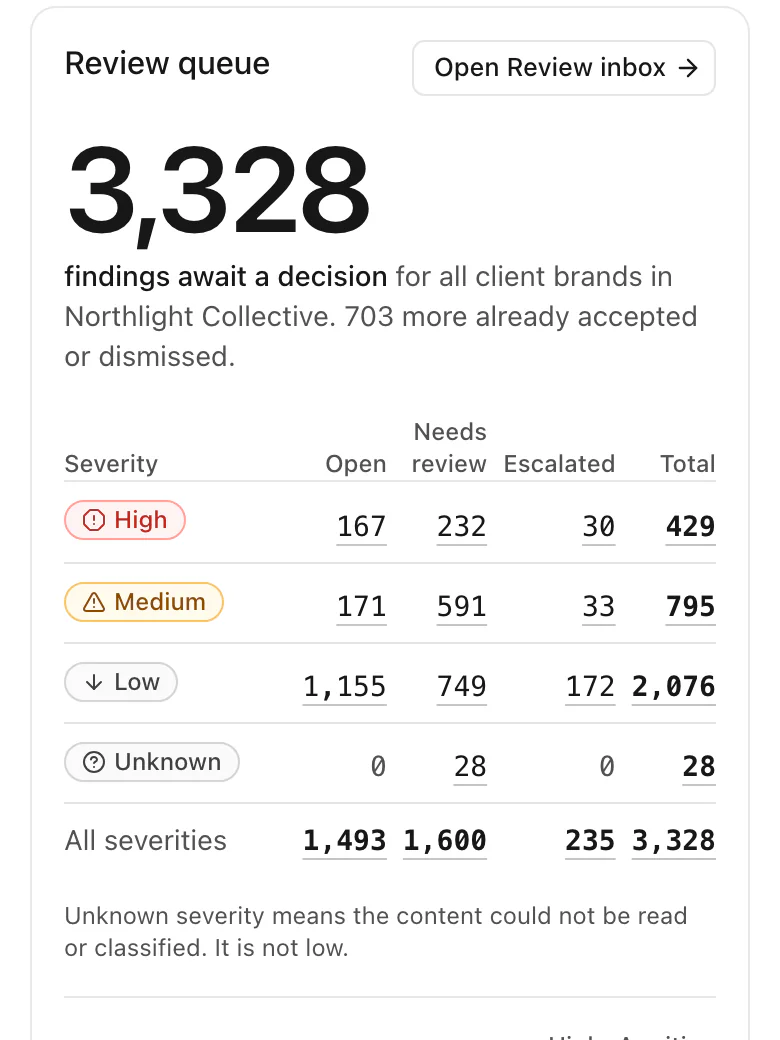
The Overview counts every finding that awaits a decision, by severity and status, and ranks the client brands with the most waiting.
Product preview · demo data
Creator and brand intelligence for a
Tellsight is built to read the posts, comments and ad comments around your creators on Instagram, Meta and TikTok, check what it read against that client’s rules, list what it could not read, and give your team one queue to decide from.
Tellsight is built to read your creators’ posts, their comments and the comments on their partnership ads, on Instagram, Meta and TikTok, to check them against each partner’s rules, and to turn what your team decides into a summary the partner can read before the deal.

Queues with an owner and a deadlineAssigned to me, unassigned, escalated, and past the 48-hour review deadline.
Evidence stays with the findingThe exact quote, the ad it was left on, and a link to the original.
A person decidesAccept, dismiss or escalate. Tellsight is built to flag, never to decide for you.
Review inbox, Northlight Collective.

Who needs a decisionFindings across the whole roster, split by risk, with the ones past 48 hours counted.
What was not readSources never read or read with a gap will be listed. Unreviewed is not the same as low risk.
Each partner’s own rulesA creator will be checked against the rules of the partner the deal is with.
Roster, Quillfeather Talent.
The problem at scale
4,693,863comments in 30 daysAcross the 503 client brands of the example media agency on this page.
5,005creators on one rosterWith 9,507 sources between them, at the example talent agency on this page.
The work today
How Tellsight is built to do it
The work today, then how Tellsight is built to do it
Today: A spreadsheet of creators and links
How Tellsight is built to do it: Creators imported from a file, or pasted in, once
Today: Profile checks by hand before each campaign
How Tellsight is built to do it: Scans checked against each client’s own rules
Today: Comments read when someone has the time
How Tellsight is built to do it: Comments and ad comments read for you, with every gap listed
Today: Screenshots pasted into a chat
How Tellsight is built to do it: The quote, the source link and what was read, kept with the finding
Today: A recap written from memory
How Tellsight is built to do it: A recap built from the scan record
Today: The roster in a spreadsheet, links in a column
How Tellsight is built to do it: The roster imported from a file, or pasted in, once
Today: A scroll through a creator’s profile before each pitch
How Tellsight is built to do it: Each creator checked against the rules of the partner the deal is with
Today: Comments read when someone has the time
How Tellsight is built to do it: Comments and ad comments read for you, with every gap listed
Today: Screenshots sent to the brand’s team
How Tellsight is built to do it: The quote, the source link and what was read, kept with the finding
Today: A reassurance written from memory
How Tellsight is built to do it: A partner summary built from the scan record
01Find
Posts, reels and videos with their captions. The comments under them. Partnership ads and Spark Ads, and the comments people leave on those. Only on the accounts you choose.
Instagram accounts
Ad accounts and Facebook Pages
Creator accounts, and the ad accounts behind creator ads
A partnership ad collects comments the creator’s own post never sees. Tellsight is built to read them, keep the ones it flags and count the rest, so the number read is always on the page.
Only the text of comments will be read.
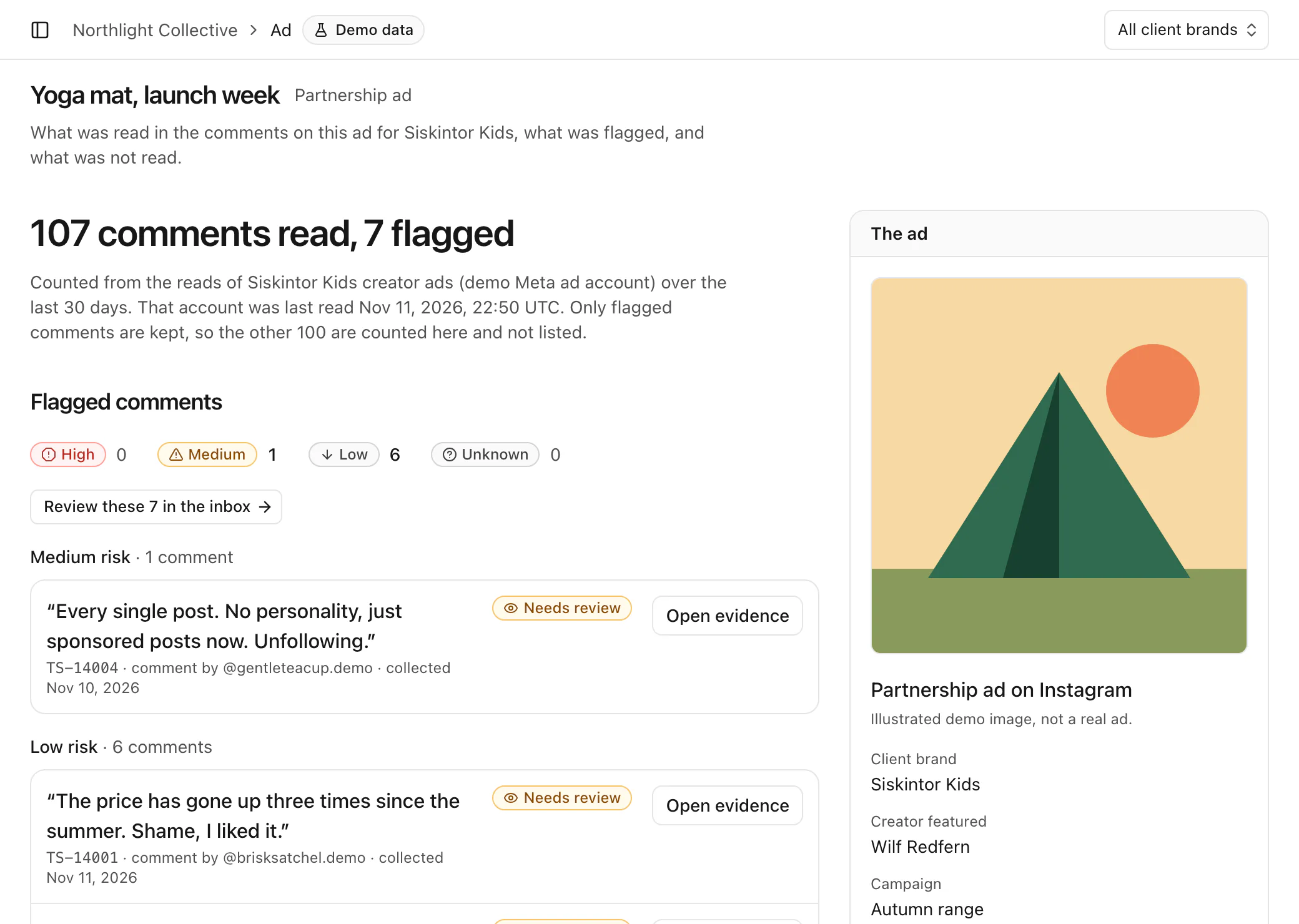
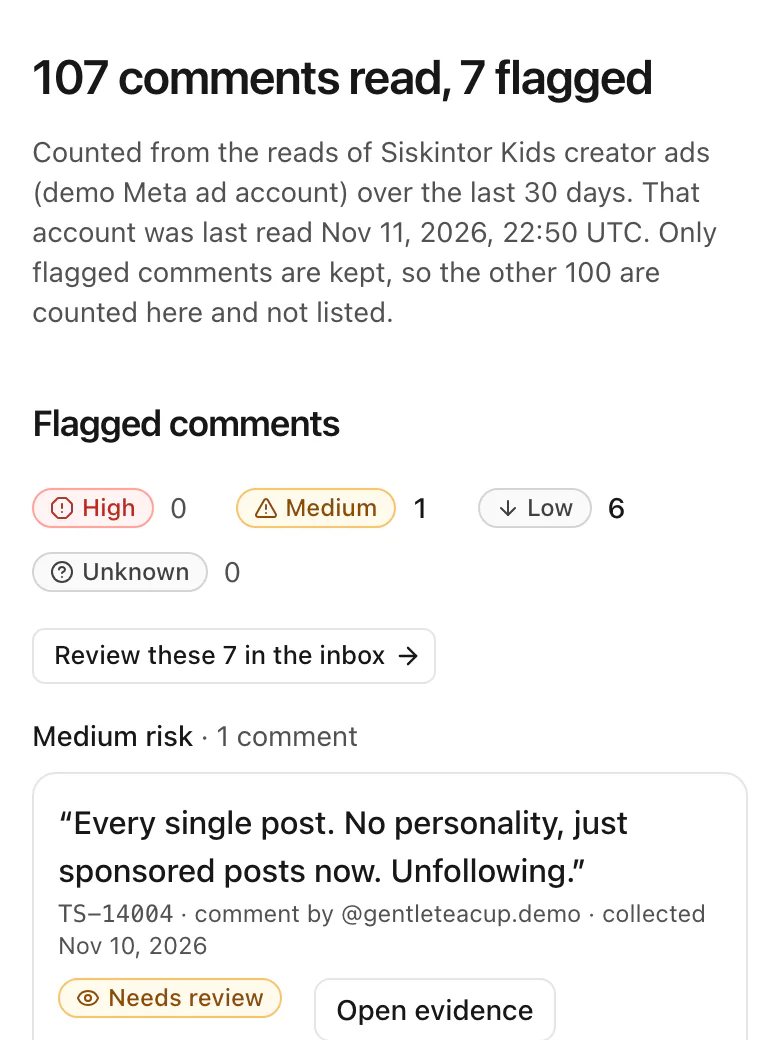
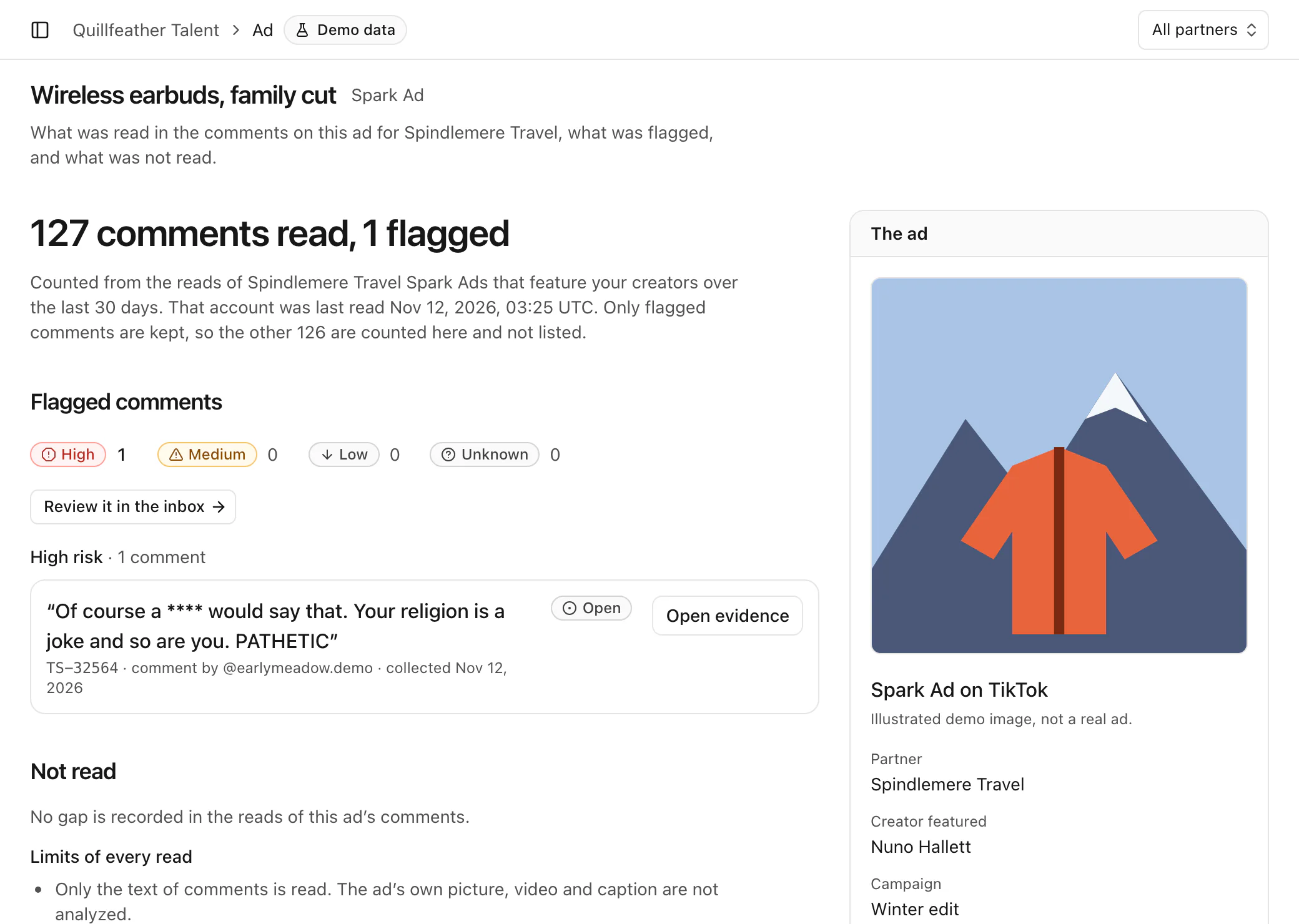
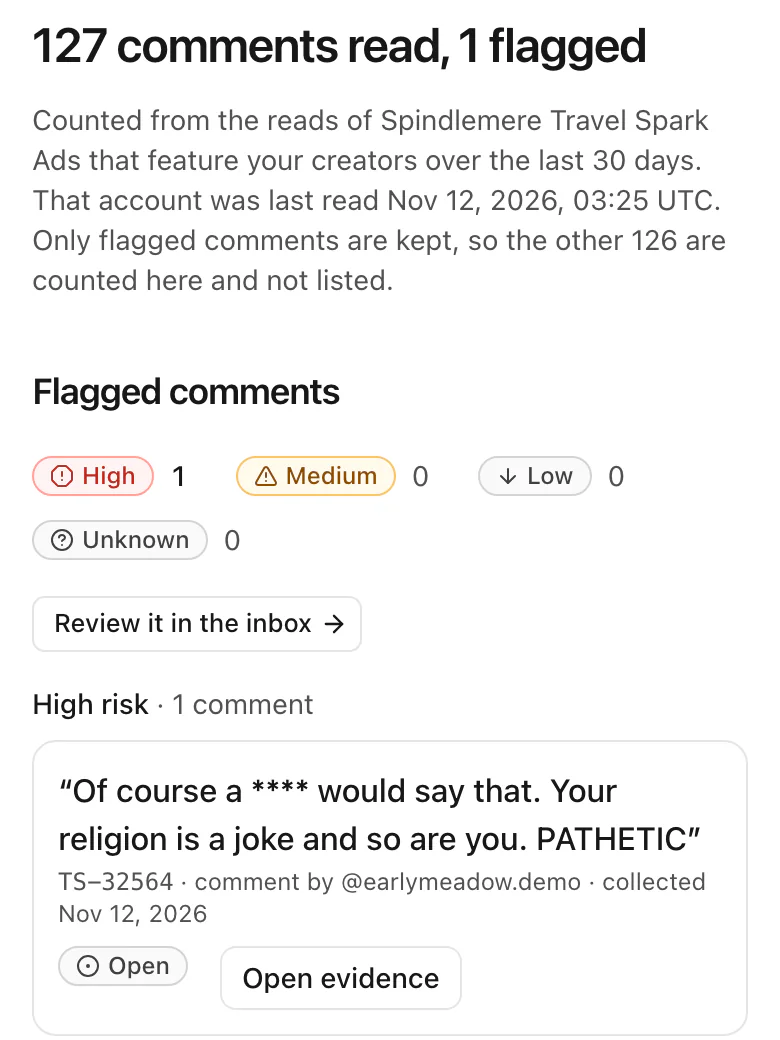
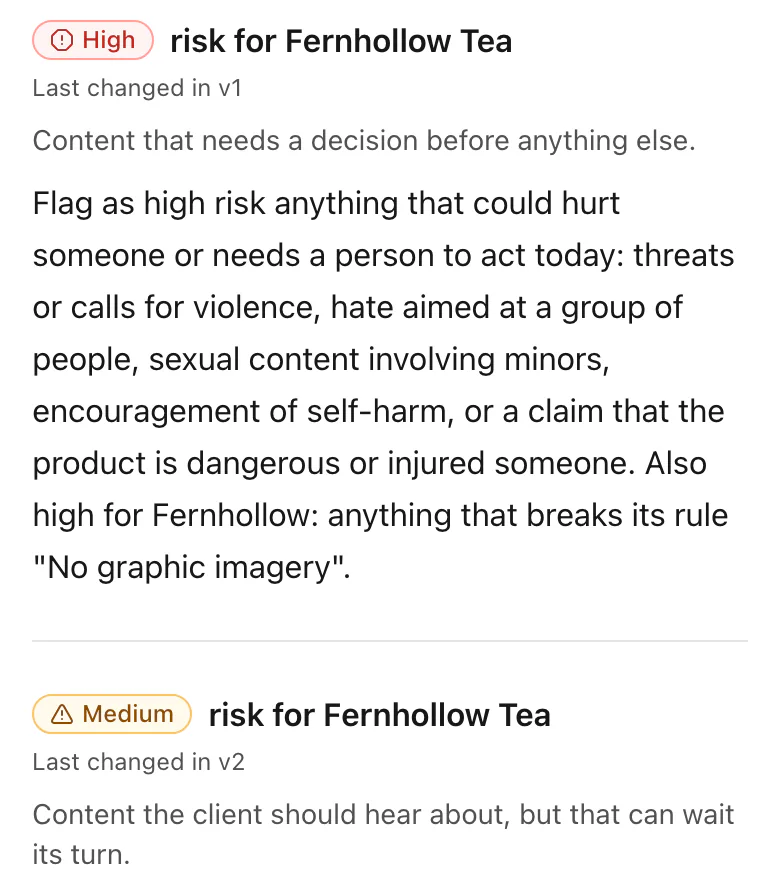
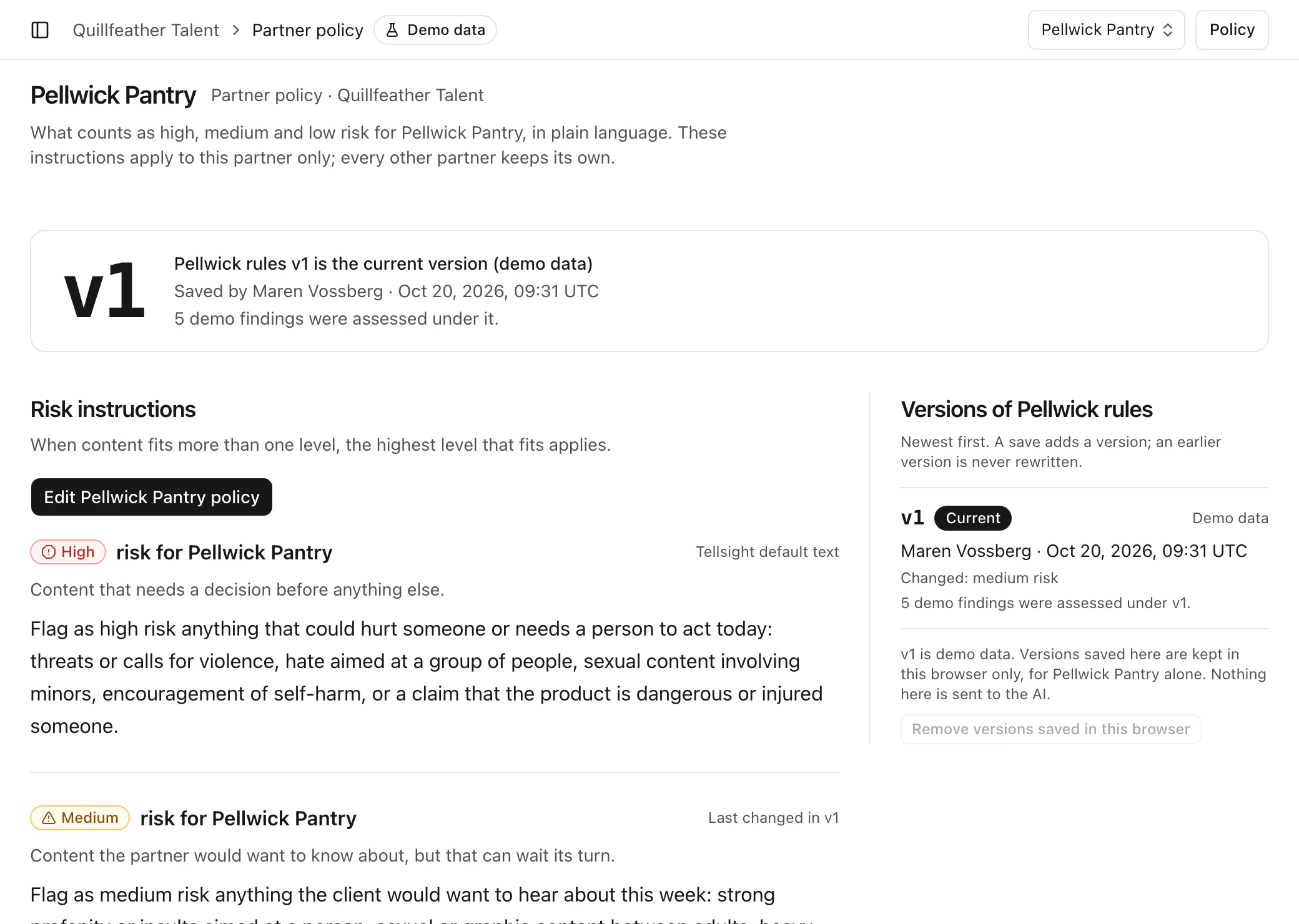
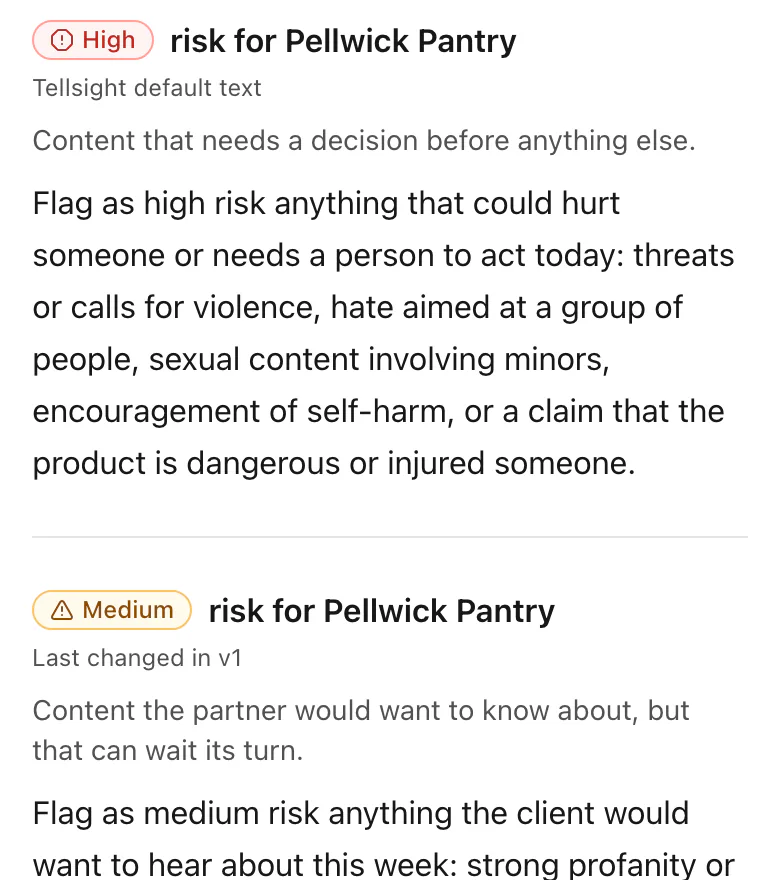
Every brand has its own policy, written in plain language: what counts as high, medium and low risk for that brand alone. Each save is a new version, and a report will name the version its findings were checked under.
Every partner has its own rules, written in plain language: what counts as high, medium and low risk for that partner alone. Each save is a new version, and a partner summary will name the version a creator was checked under.
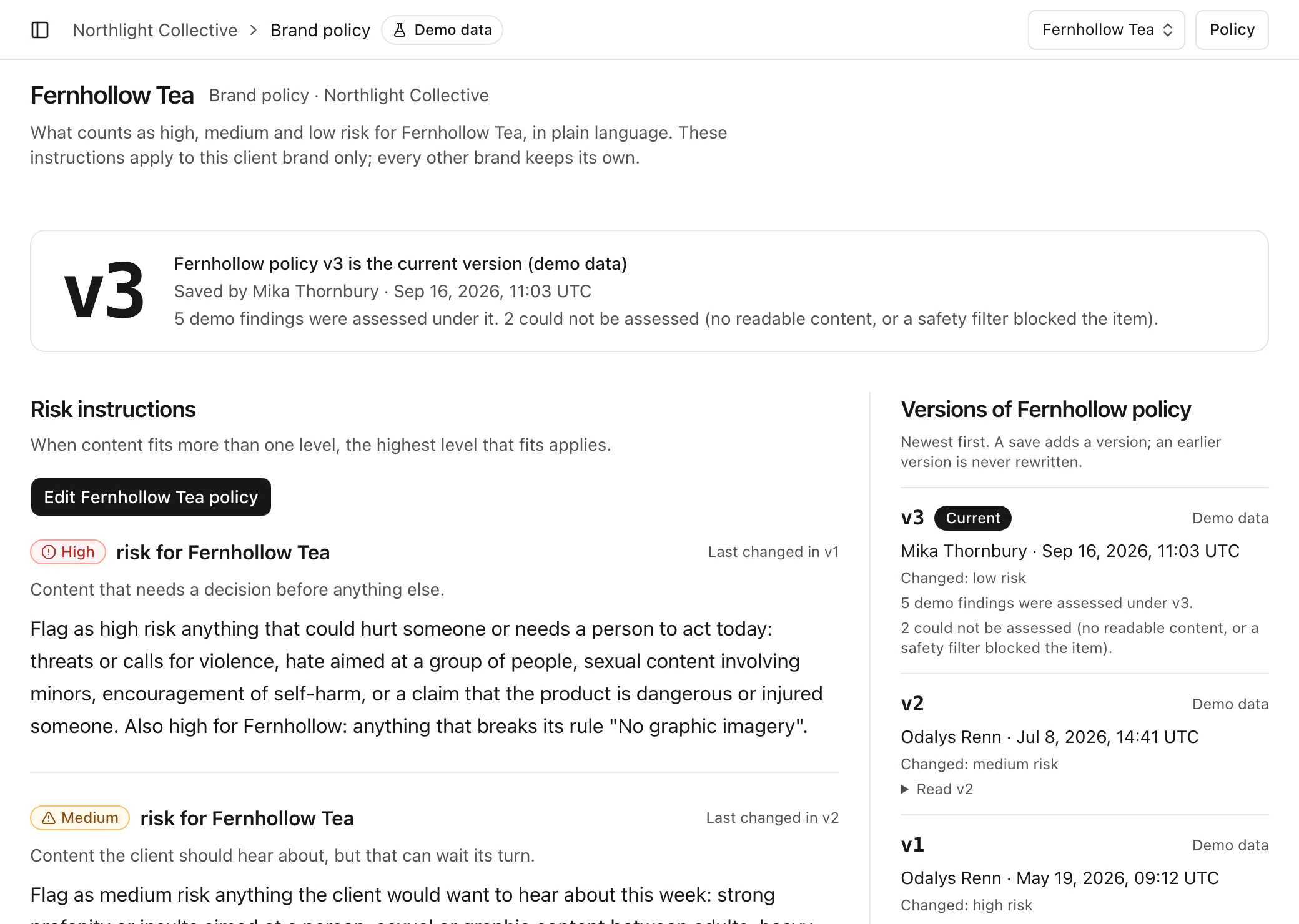
A clean screen is only worth something if you know what was behind it. A source that failed, a video read from its transcript and sampled frames, a busy post whose comments were capped: each gap will be listed where you would otherwise assume the best. Three lines from Tellsight’s own screens:
Anything not read is unreviewed, not low risk.
Printed on Reports
Unknown severity means the content could not be read or classified. It is not low.
Printed on the Overview
Unknown severity is unclassified, not low.
Printed on the Roster
What was not read is unknown, not zero.
Printed on Signals
02Decide
Findings will arrive sorted by risk, each with the exact quote, the rule it may break and what was and was not read. Accept it, dismiss it or escalate it. Try it on four findings.
Review inbox
4 of 4 waiting
Try it · nothing is saved
TS-1040
Teo Marsh
Exact quote, by @teomarsh.demo
“Light this one an hour before bed. It's guaranteed to cure insomnia, science says so.”
Your decision
Review inbox
4 of 4 waiting
Try it · nothing is saved
TS-3003
Cal Arroyo
Post caption: “Quick spin before the rain.”
Exact quote, by @calarroyo.demo
“No helmet today, it's only a short ride down the hill.”
Your decision
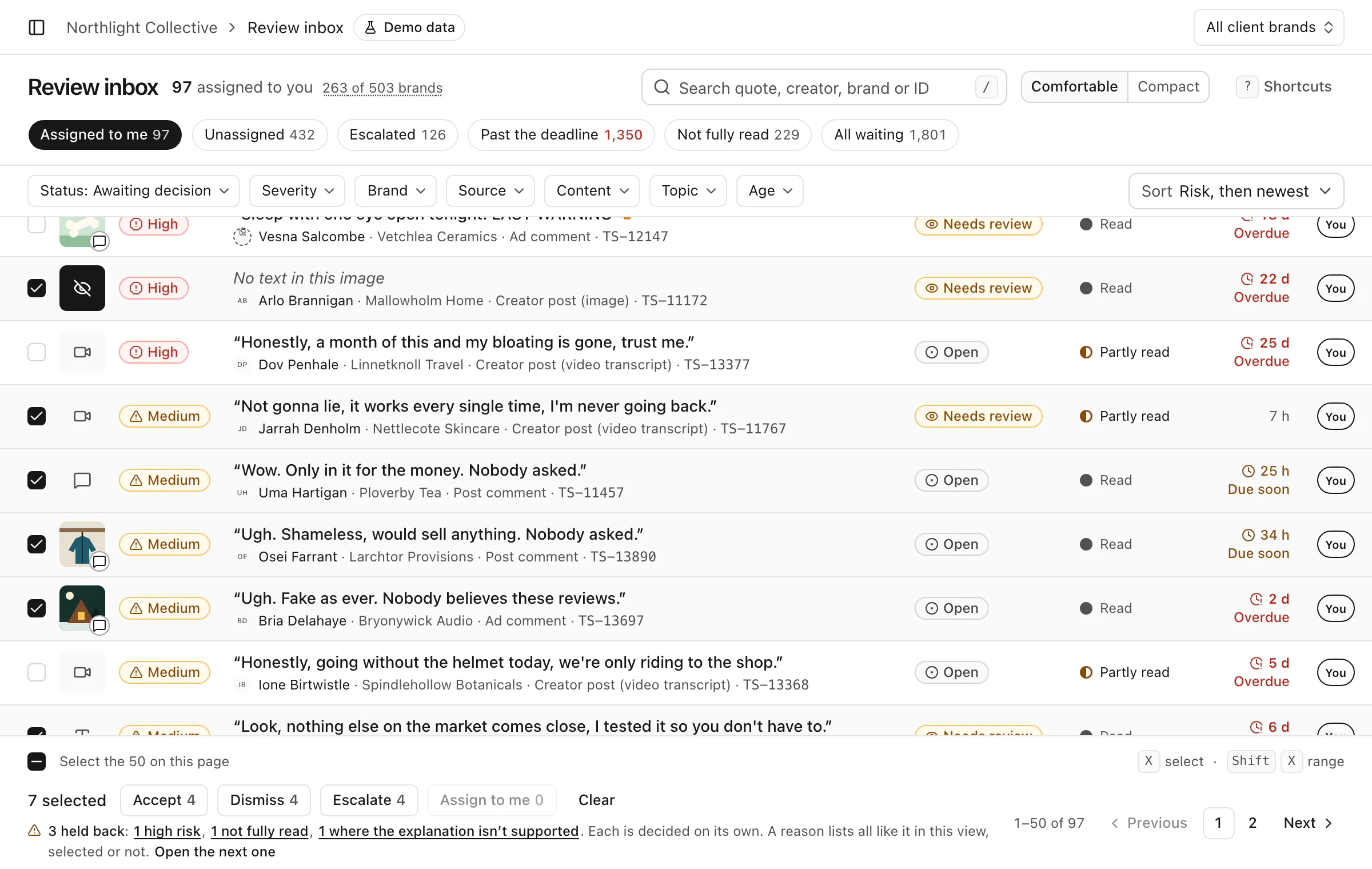
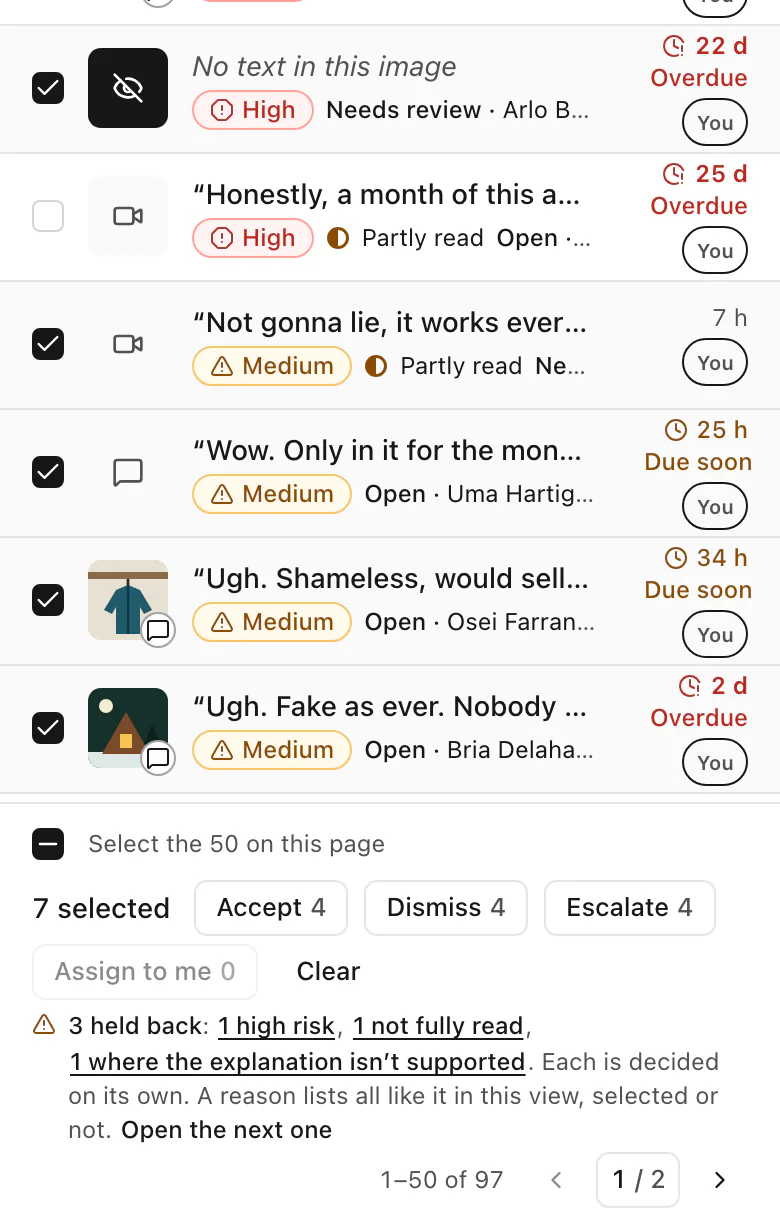
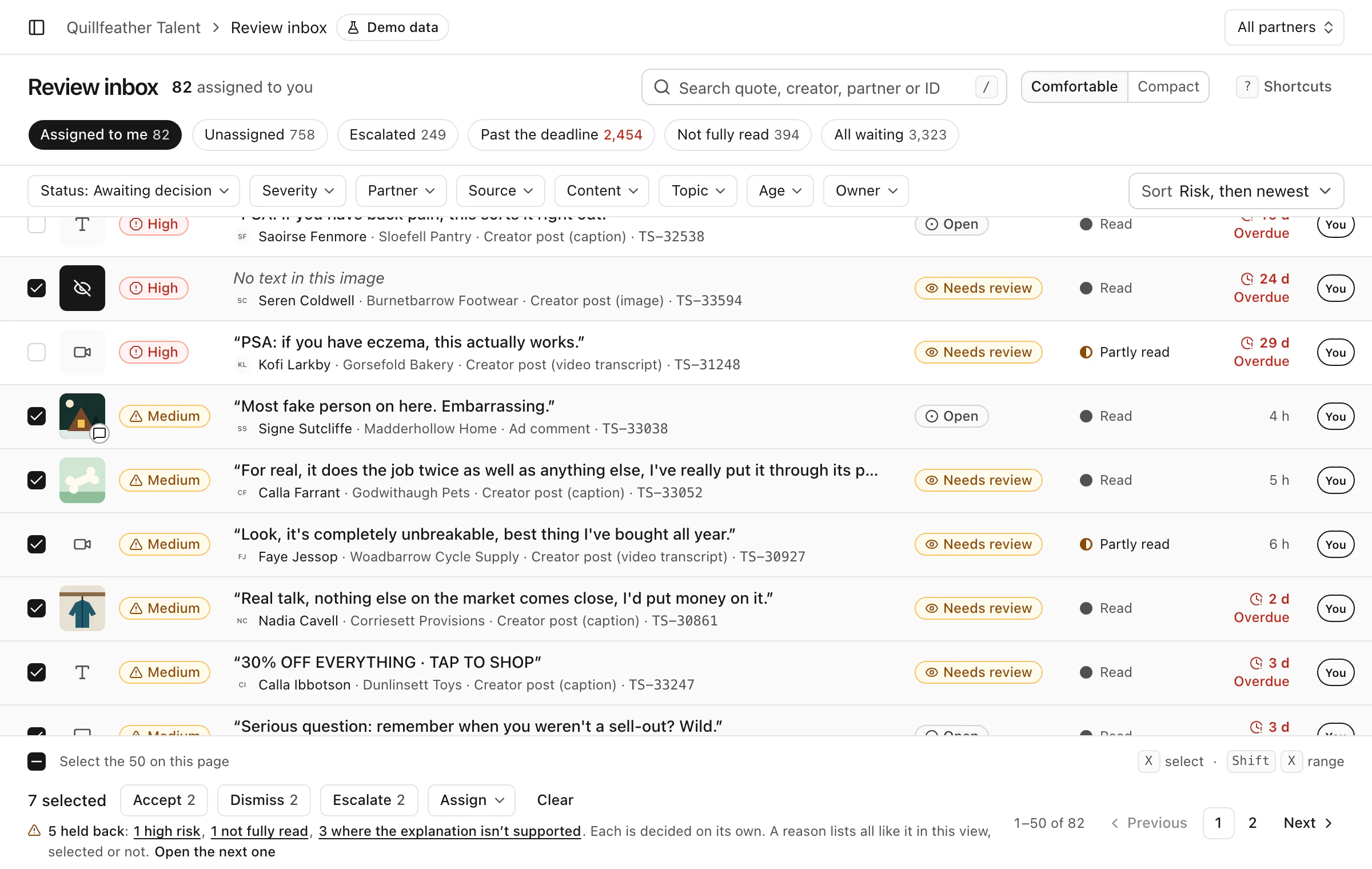
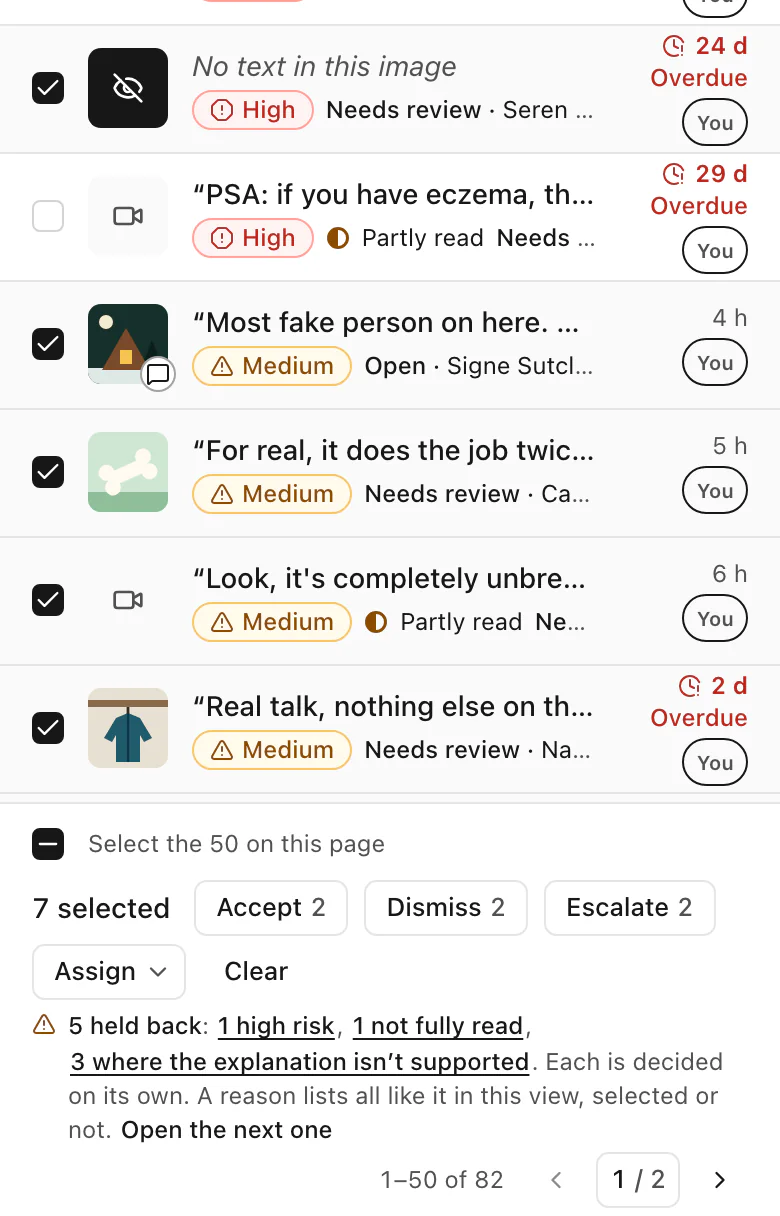
Select a run of findings and accept, dismiss or escalate them in one move. Anything high risk, of unknown risk, not fully read, or with an explanation that does not support the flag is held back and decided on its own.
03Report
When the client asks what happened on the campaign, the answer will already be written: what was found, what your team decided, what is still waiting and what was never read.
When a brand asks about a creator before signing, the record will already be written: what was checked, under whose rules, what was raised, what your team decided and what was never read.
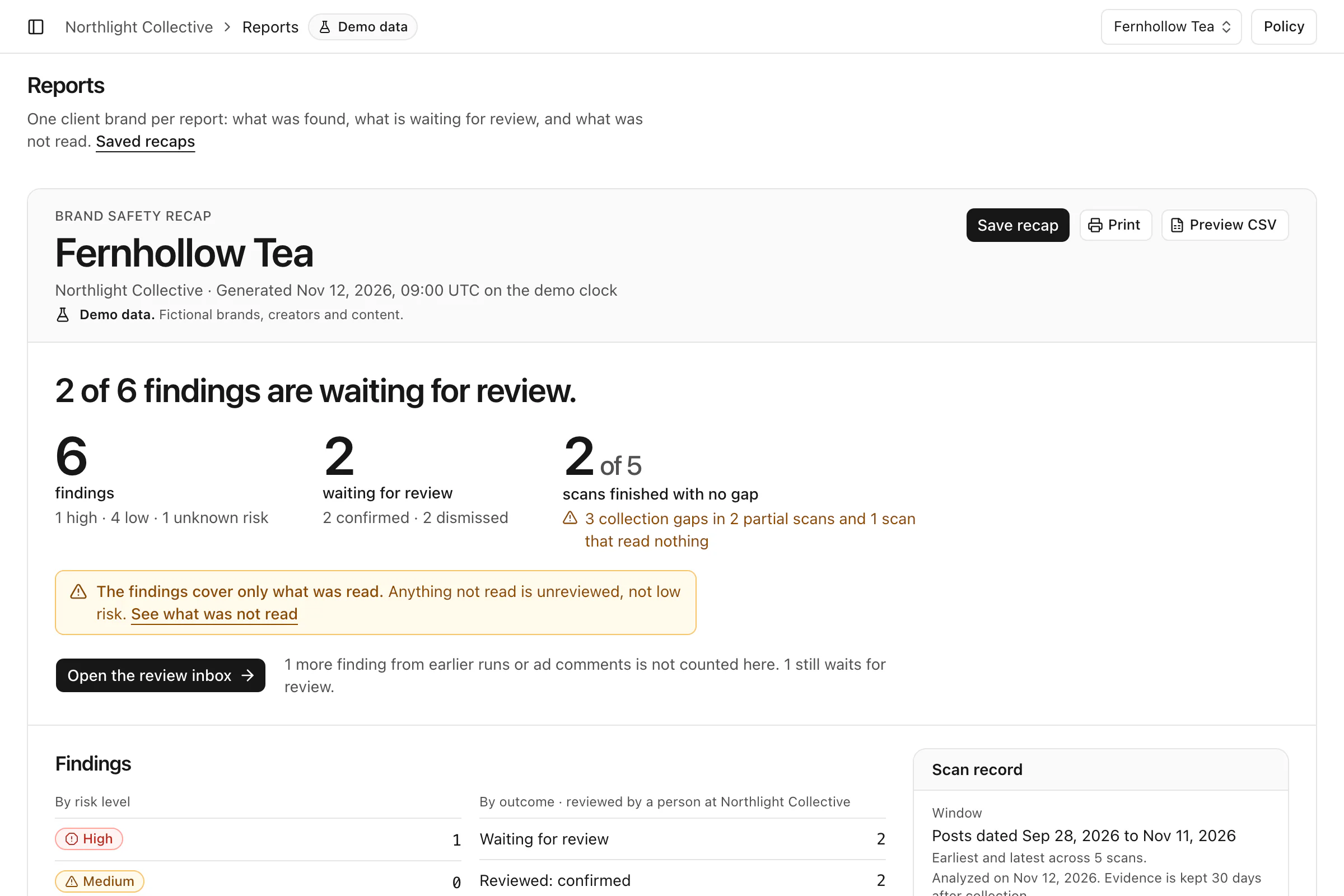
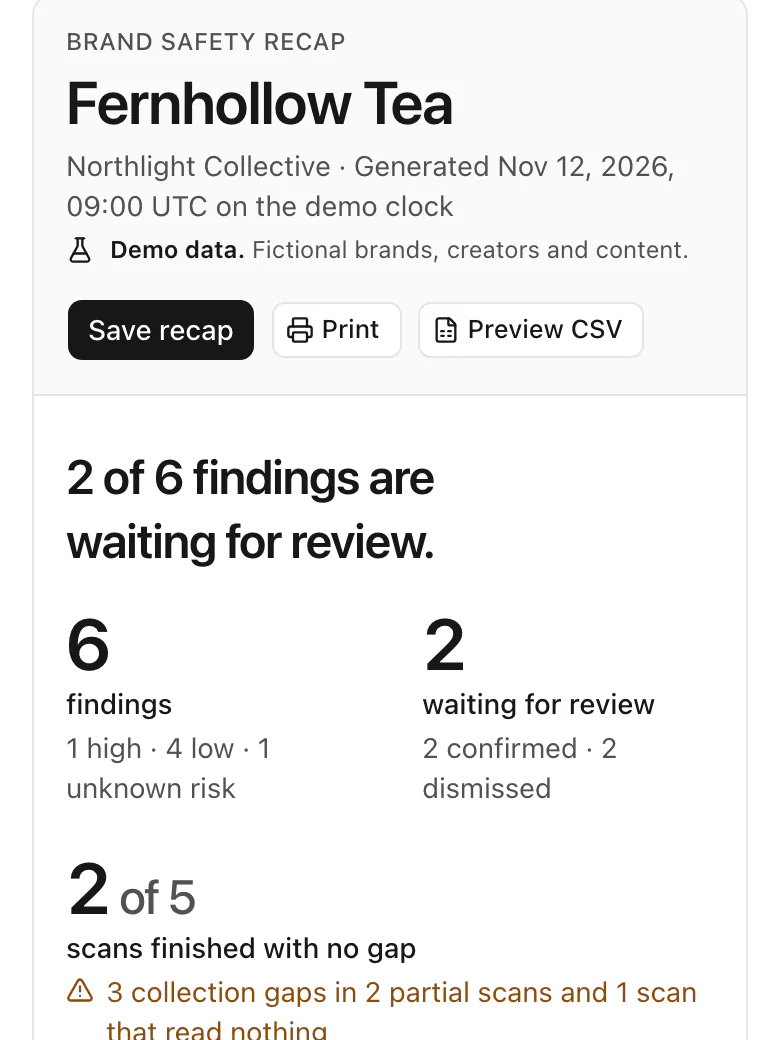
One client brand per report, with the scan record beside it: the dates read, the policy version and what could not be collected. Save it as it stood that day, or print it.
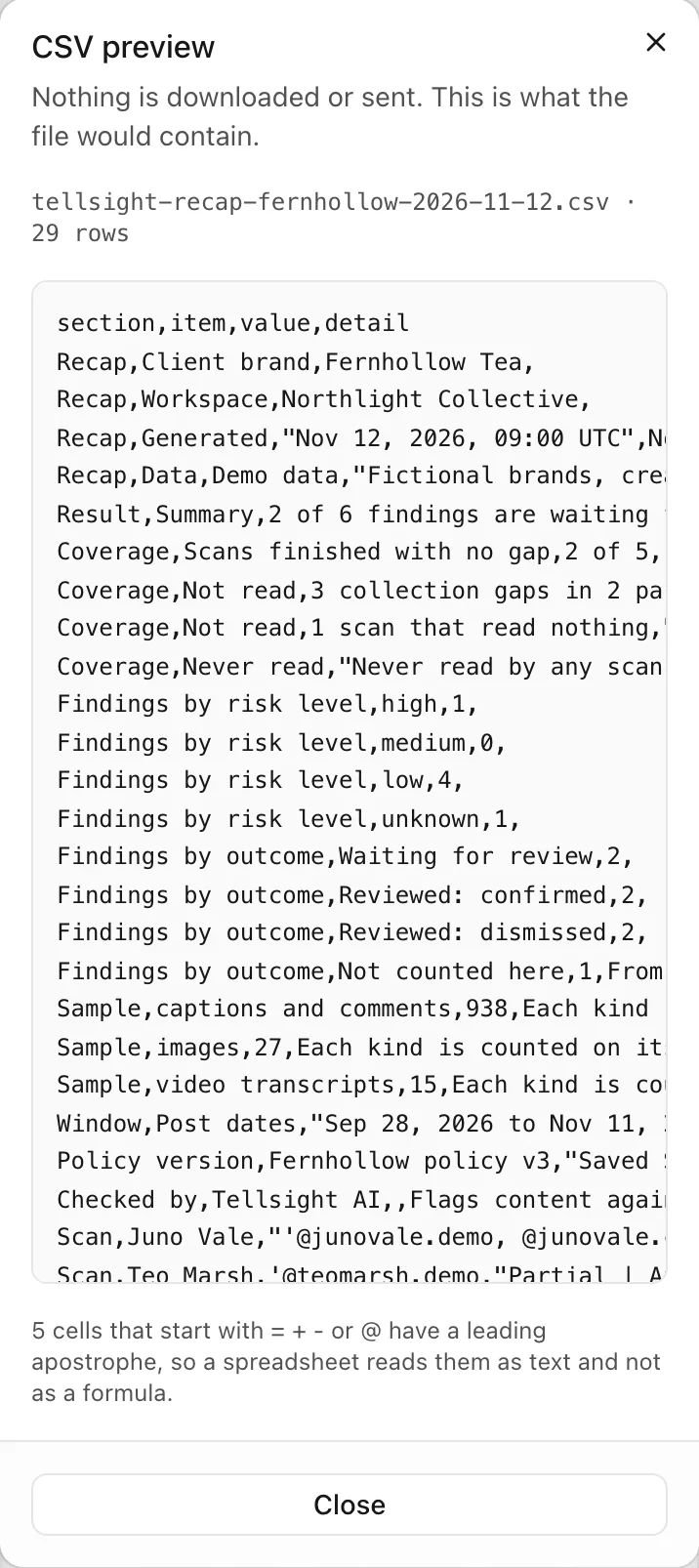
The CSV preview lists every count in the recap with its caveat beside it: what was read, what was not, and the policy version it was checked under.
Reports and the CSV preview, Northlight Collective, after four of the brand’s findings were confirmed or dismissed.
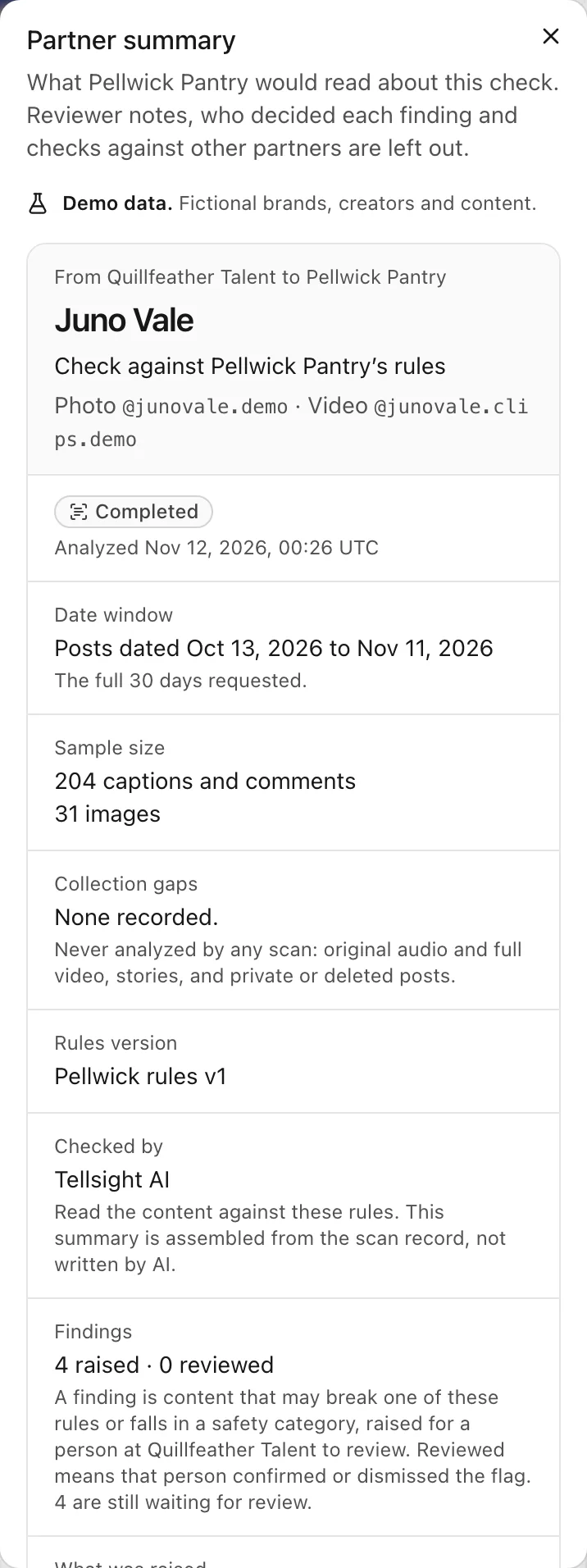
What a brand would read about a creator’s check. Reviewer notes, who decided each finding and checks against other partners are left out.
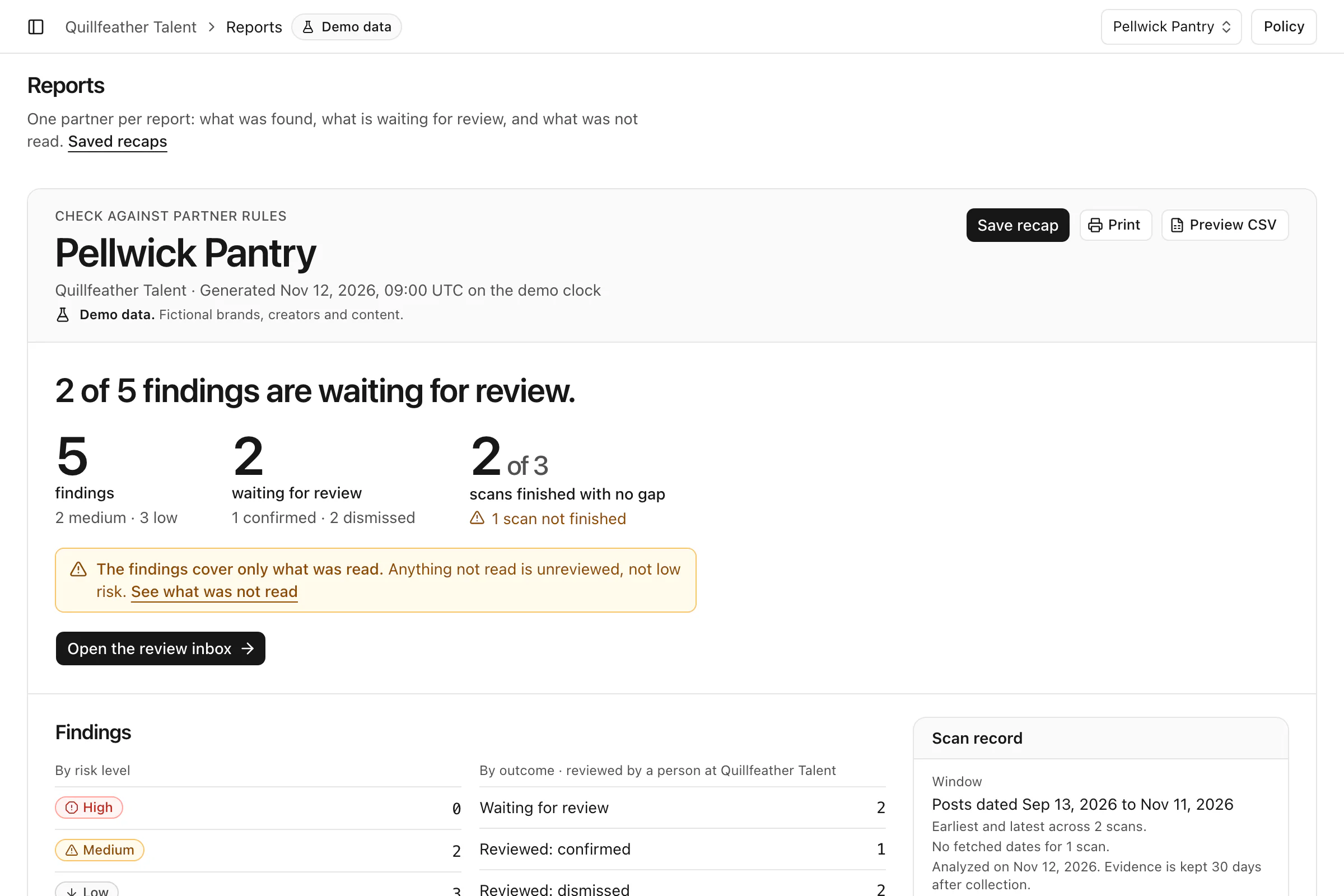
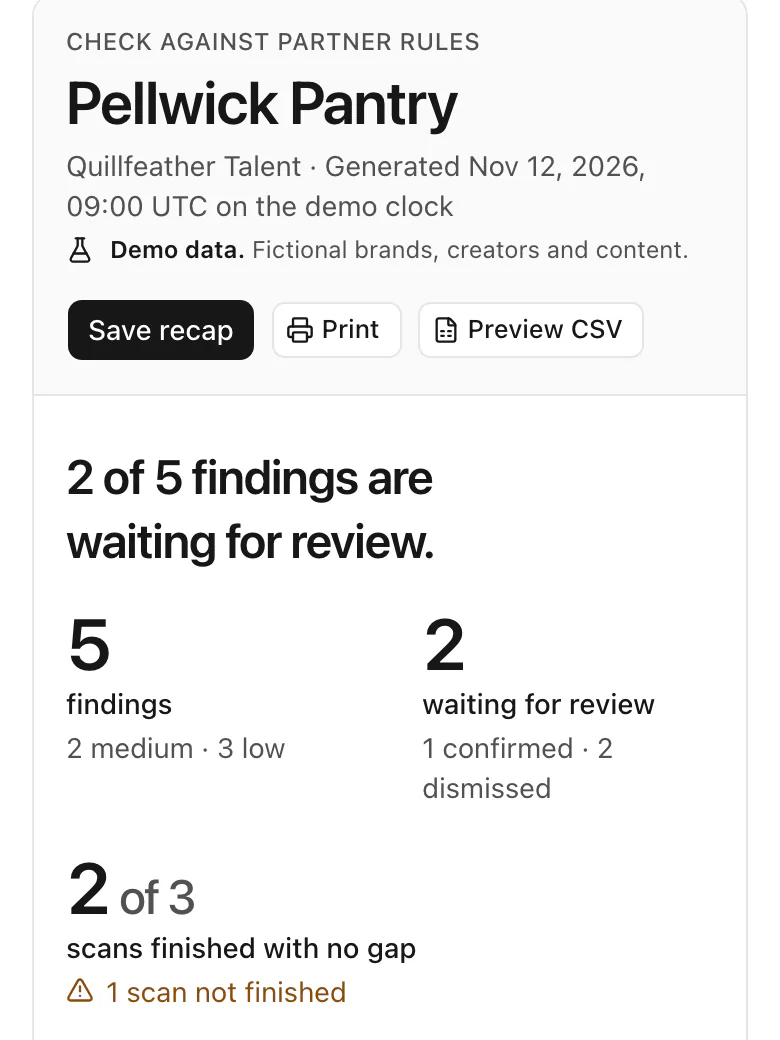
Every creator checked against that partner’s rules, with the scan record beside it: the dates read, the rules version and what could not be collected. Save it as it stood that day, print it or preview it as a CSV.
Reports and a partner summary, Quillfeather Talent, after three of the partner’s findings were confirmed or dismissed.
04Lead
Built for the agency that runs hundreds of brands and thousands of creators in one workspace.Built for the agency that runs thousands of creators and hundreds of partners in one workspace.
The Overview counts every finding that awaits a decision, by severity and status, and ranks the client brands with the most waiting.
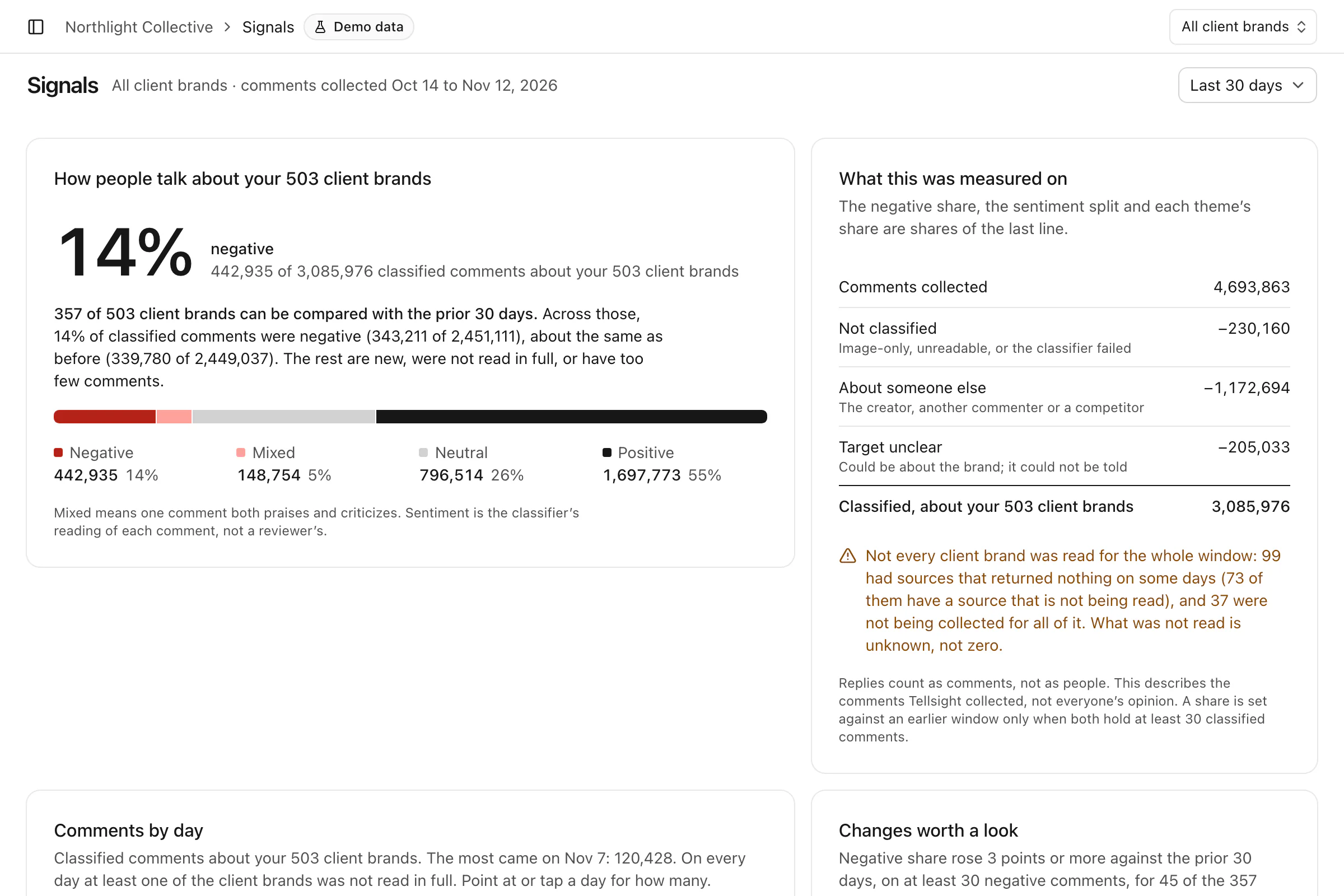
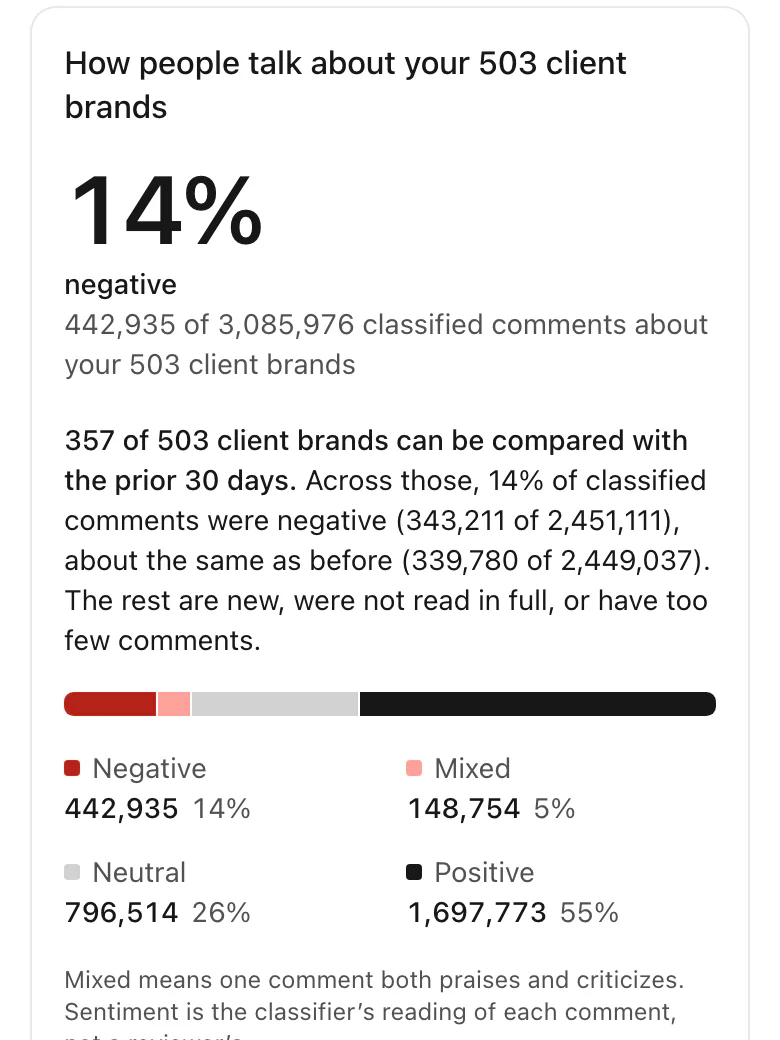
Signals shows the share of classified comments that were negative, mixed, neutral or positive, and says how many comments were left out of the count and why.
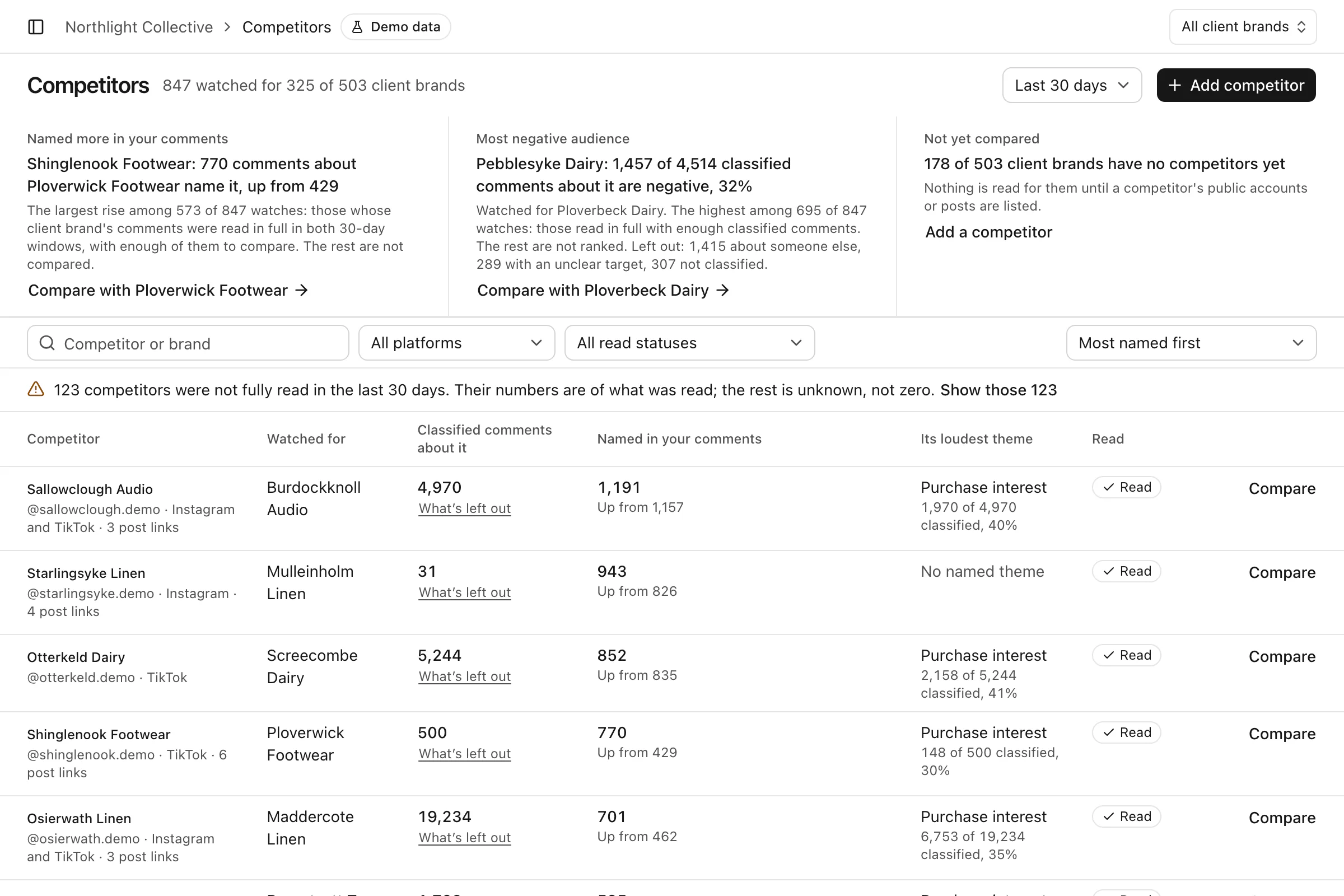
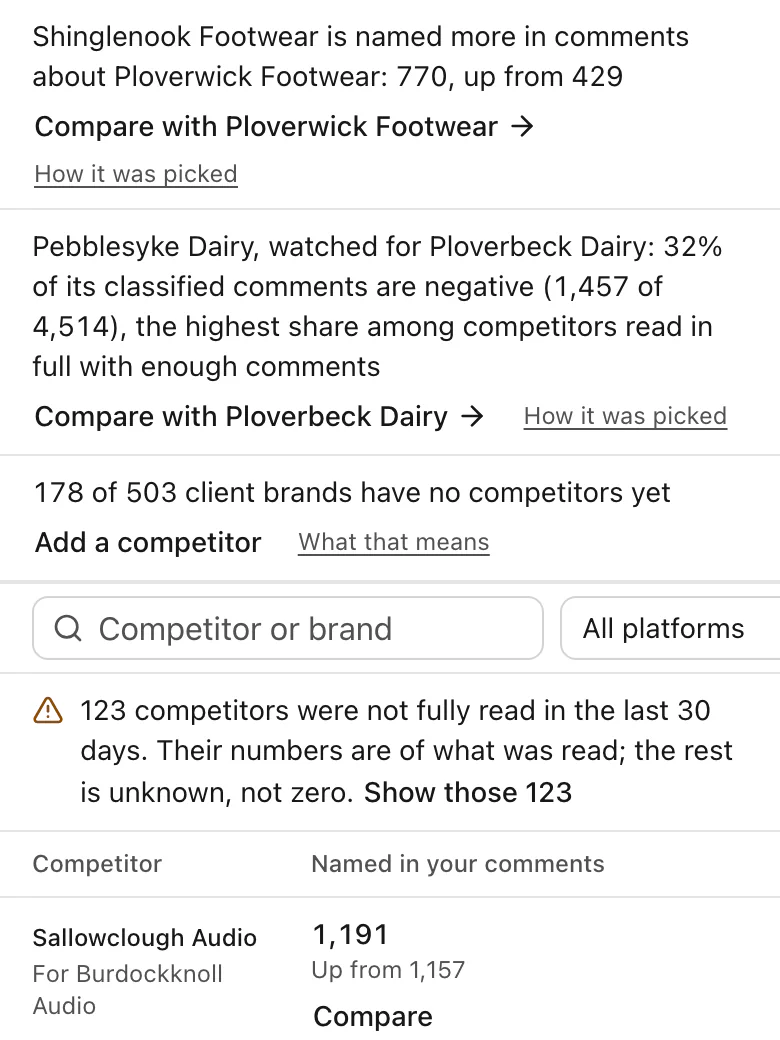
Built to watch competitors for each client brand and show when one is named more often in the comments on your own content.
Overview, Signals and Competitors, Northlight Collective.
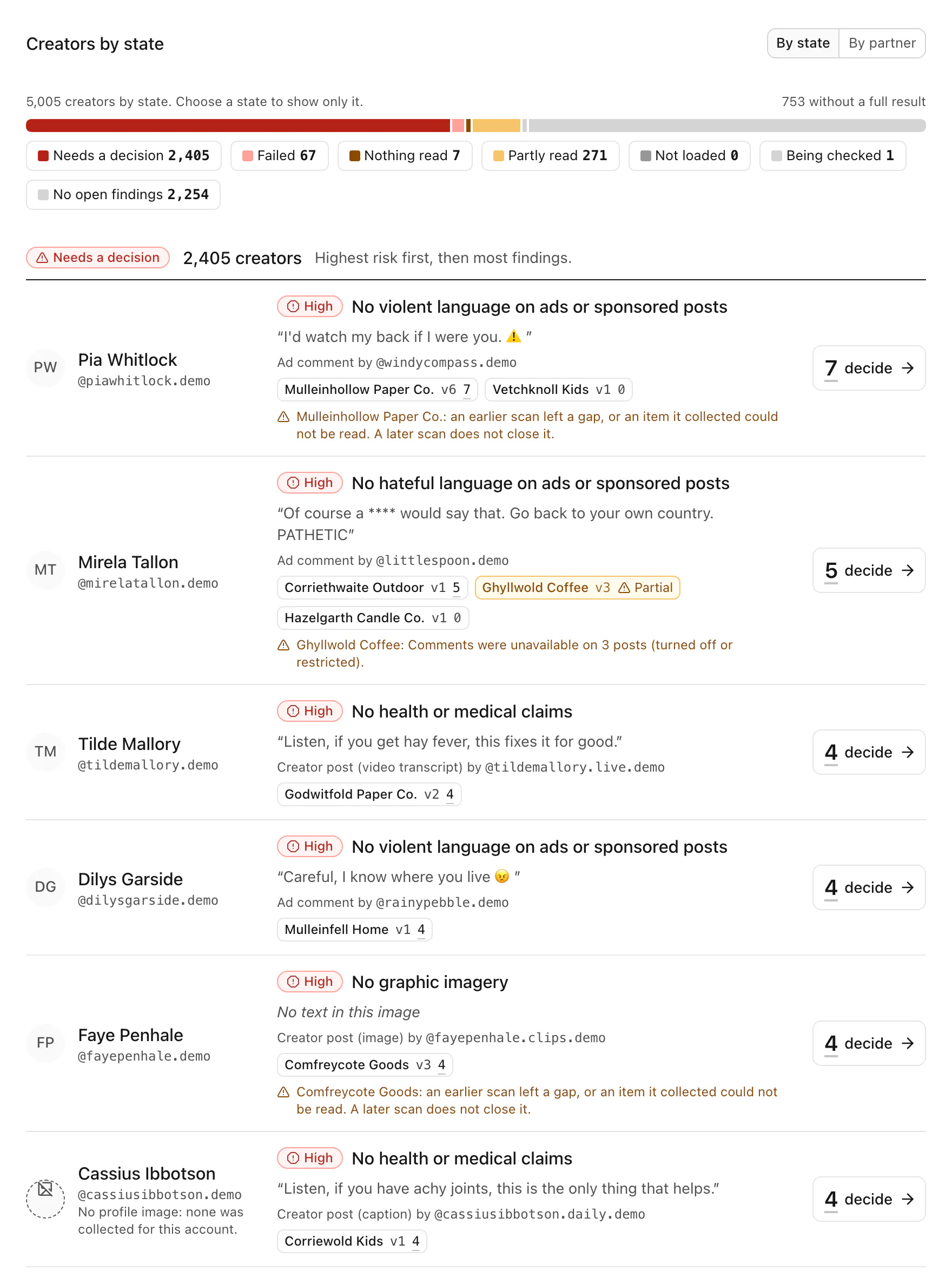
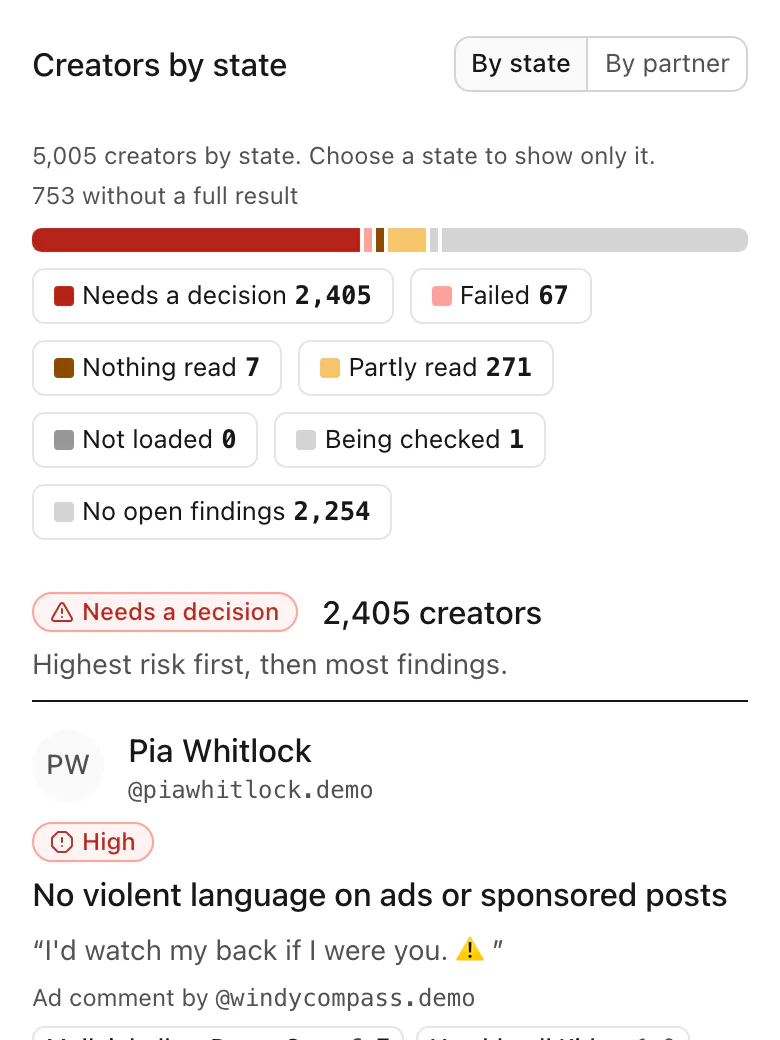
The Roster sorts every creator by state: who needs a decision, whose scan failed, who was only partly read and who has no open findings.
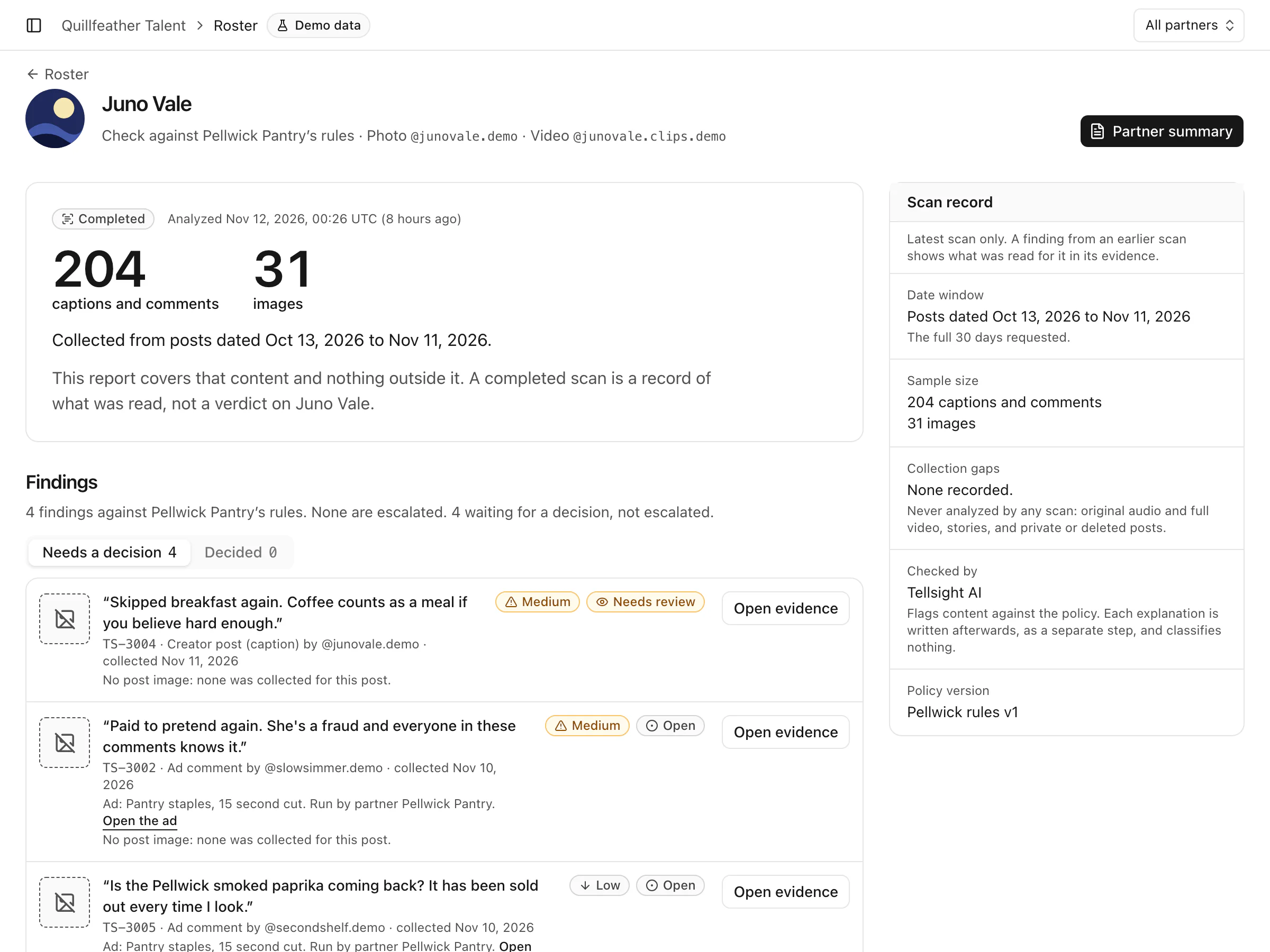
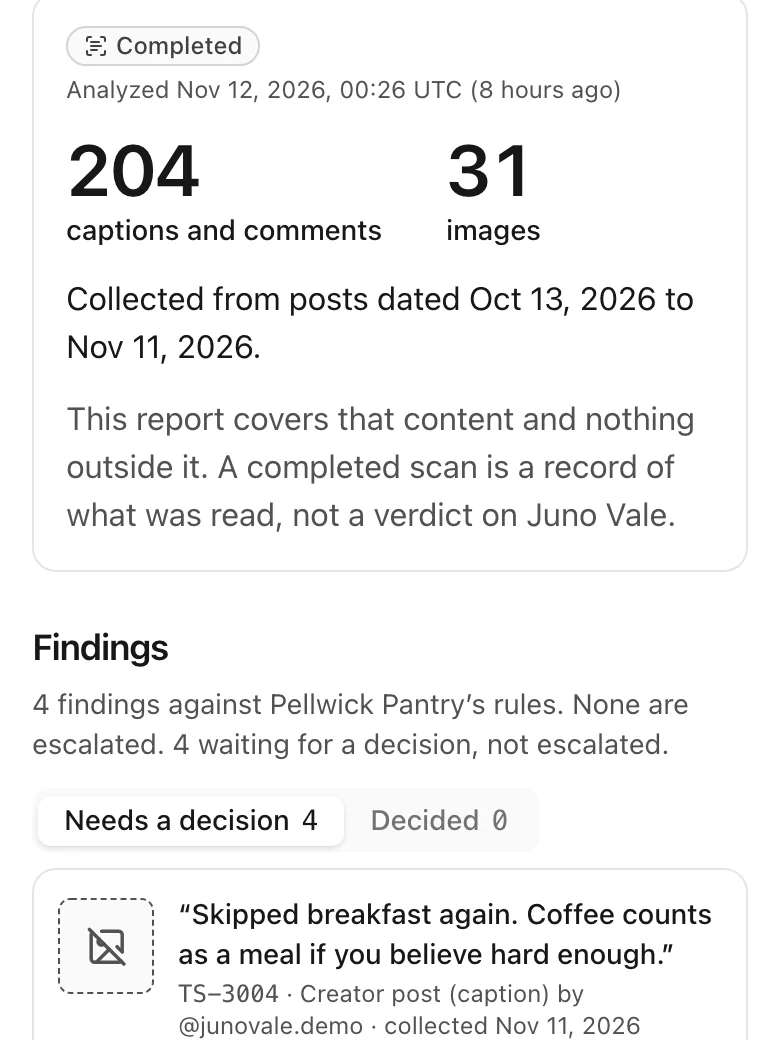
A creator’s check counts what was read, lists the findings against that partner’s rules and keeps the scan record beside them.
Signals shows the share of classified comments that were negative, mixed, neutral or positive, and says how many comments were left out of the count and why.
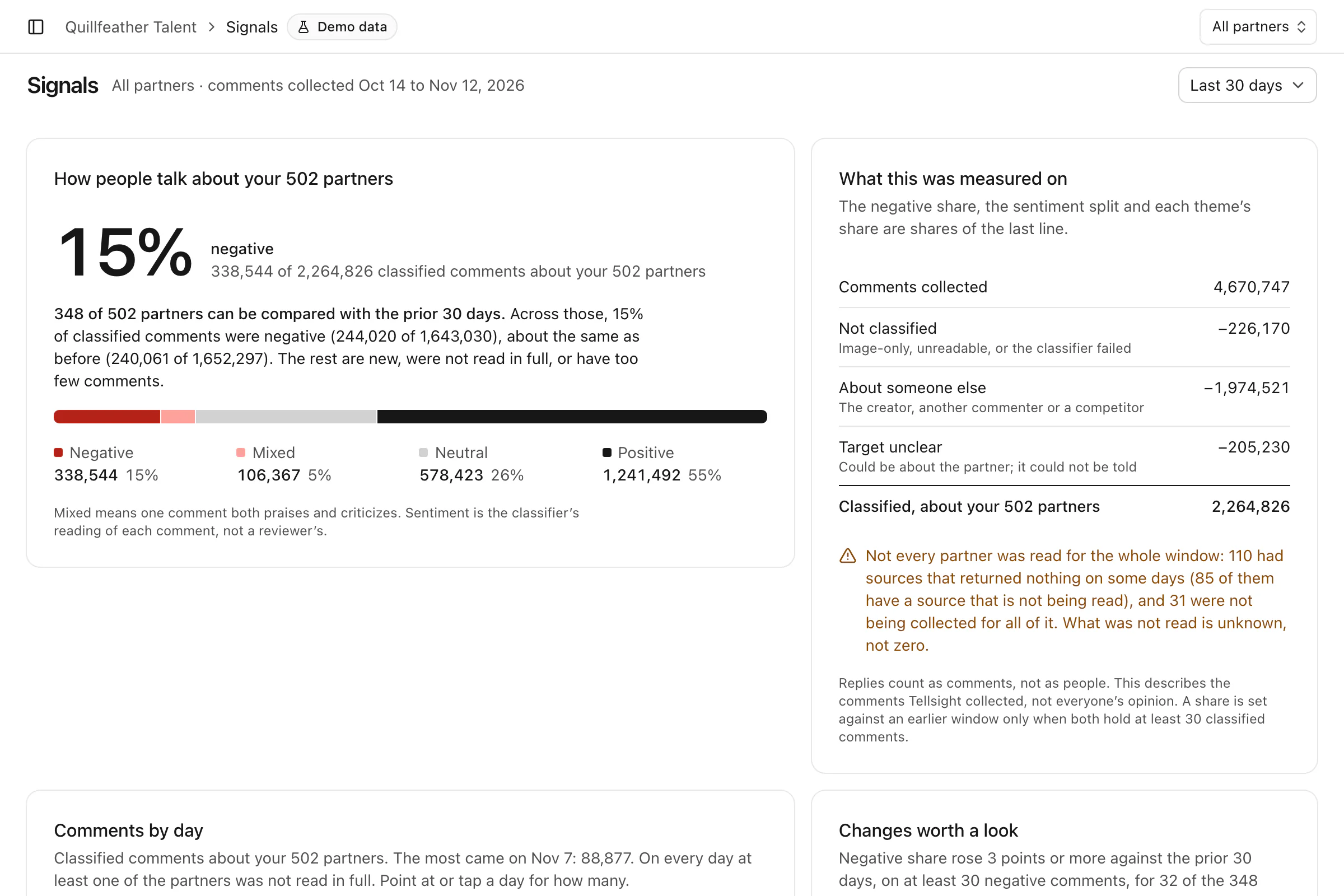
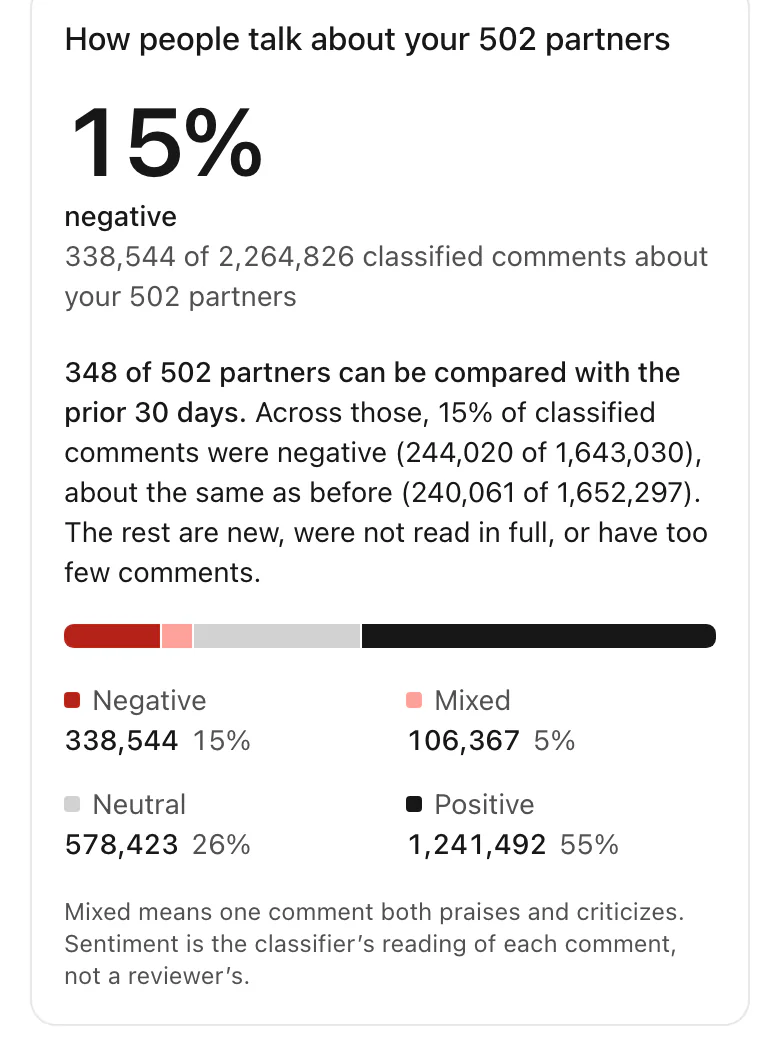
Roster, a creator’s check and Signals, Quillfeather Talent.
Two kinds of agency
| Setting | Media agency | Talent agency |
|---|---|---|
| You work by | Client brand | Creator roster |
| You open on | A review queue, by client brand | The roster: who needs a decision |
| Brands are | Clients, each with its own policy | Partners, each with its own rules |
| What goes out | A brand safety recap for the client | A partner summary before the deal |
How checking works
01
Only the accounts, Pages and ad accounts you choose. It will not read:
02
Tellsight AI is built to check what was collected against the policy you wrote for that brand and flag what may break it. An explanation will be written afterwards, as a separate step that classifies nothing. When the explanation disagrees with the flag, the finding will say so. Now and then an item cannot be checked, for example when a safety filter blocks an image before it is read. That item will stay unchecked, the report will list it as a gap, and it will never be counted as low risk.
03
A person on your team, every time. Nothing is confirmed or dismissed until someone accepts, dismisses or escalates it, and a report counts what was reviewed by a person separately from what is still waiting.
04
Audio tone, video frames that were not sampled, stories, and private or deleted posts. A check will cover a set span of dates: anything posted outside it will not be read, and the report will show the dates. Video will be read from its transcript and sampled frames only. Sometimes neither can be had: then the video will not be read, and the report will say so. When the comments on a busy post are capped, the report will say how many were read, and of about how many when the total is known. When it is not, it will say the total is unknown.
Questions
No. It is built to flag content against the policy you wrote for each brand and show the evidence. A person accepts, dismisses or escalates every finding, and high-risk findings cannot be decided in bulk.
Instagram, Meta and TikTok: posts, reels and videos with their captions, the comments on them, and partnership ads and Spark Ads with their comments. Only on the accounts, Pages and ad accounts you choose. That is what it is built to read.
For up to 30 days after it is collected. It will be removed sooner if you delete it, or if the source it came from allows less time. Each finding will show when it was collected, when it was analyzed and the day its evidence expires.
Access is by request. Bring a list of creators.
How setup is built: five steps to a first scan
Workspace. Name your agency and say which kind it is.
Brand and policy. Add your first brand and write what it allows.
First creators. Import a file, or paste handles or post URLs.
Connect. Connect the platforms those creators are on.
Scan. Start the first scan. What it flags will land in the review inbox.
Product preview · demo data